Group-in-group support on MapHub
Create deep, multi-level map structures with MapHub's new nested groups. Easily drag and drop to rearrange items, filter across groups, and use Excel import.
Updates, changelogs and news from MapHub.net
Create deep, multi-level map structures with MapHub's new nested groups. Easily drag and drop to rearrange items, filter across groups, and use Excel import.
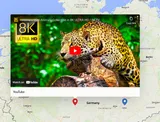
Add videos to MapHub items by pasting a URL from YouTube, Vimeo, Twitter, TikTok, Facebook or Brightcove. Business plans can also embed custom MP4 files.
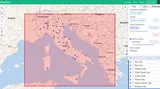
Set a custom start view and view limits on your maps with MapHub's new zoom controls. Guide your visitors by defining the initial view and browsing area.
Embeds can now load the full map directly, without clicking the Play button. Autoplay is available on the Business and Enterprise plans.

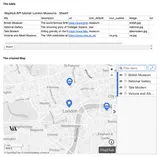
MapHub's API got a big update. A new tutorial shows how to write a Python script that creates an interactive map from a CSV table and a directory of images.
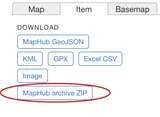
Now you can back up, duplicate, and transfer your MapHub maps using the new archive ZIP feature. Download a single file with all your map data.
MapHub has replaced Google Analytics with self-hosted Plausible. It has never used Google Maps, serves its own fonts and has no advertising or tracking scripts.

Multiple users can now edit the same MapHub map at the same time, in real time, across devices. Invite them with the Collaborate button; it's on all accounts.
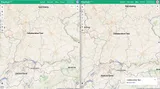
A new Info widget replaces the old map information on the right side. It shows the map's title and description, and once closed, it's minimised to a small icon.
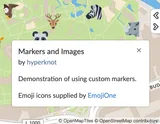
A "Read more" button now appears when an item's description is longer than the popup, and the filter also searches descriptions, including hidden tags.

Embeds can now show a directions button. It opens a mobile app or Google Maps with route planning from your current location to the selected point.
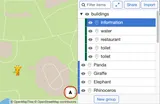
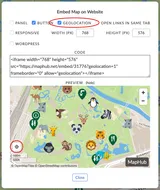
On mobile phones, the menu bar is now hidden in landscape mode and the buttons are reorganised to fit the screen. Embeds can now show a geolocation button.
MapHub has moved to a much faster server. Also new: disabling embedding and downloading, visual ordering of items, and better display of Cyrillic fonts.

HD embeds use the optimal resolution image for any embed size. Also new: a panel inside embeds with real-time filtering, and an Embed Wizard.
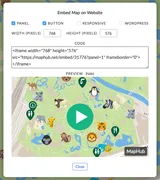
A new filter tool filters thousands of features in real time. Also new: CSV export, a full-size panel when viewing maps, and a panel on embeds.
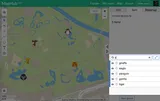
Upload images directly to MapHub maps with the Camera or Add Image button. Images with GPS information are placed automatically, and items get a new Link field.
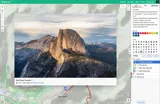
The new Multi-Select tool selects multiple items with a rectangle, so you can change their colors and icons or move them to groups, all at once.

MapHub now supports custom icons: click "Add Icon" in the icon selector and upload a PNG image with a transparent background, at least 80x80 pixels in size.

Simplify map, a new MapHub setting for maps with thousands of points, shows markers as dots and hides labels on lower zoom levels. Zooming in shows all details.

You can now reorder items and organize them into groups with drag and drop, hide items or whole groups, and change many items at once using groups.

MapHub has moved from Leaflet to Mapbox GL JS. Based on hardware-accelerated WebGL, it handles even the biggest maps, with over 1000 items, at a smooth 60 FPS.

MapHub treats all user data according to the GDPR, for European and global users alike. What data we collect, who can access it, and how to export or delete it.

Features planned before MapHub leaves beta: groups, images, custom markers and collaborative editing. Also a freemium model without ads, and self-hosted MapHub.

The MapHub map viewer has been rewritten from the ground up and looks exactly like before. Also new: OpenCage search, bigger popups and public profile pages.
New icons in MapHub, from the Maki set by Mapbox, Font Awesome and Google Material Icons. If you need a particular icon, contact us.
After eight months of work, MapHub beta is public: an open map platform where anyone can create maps to share, embed on websites or download to any mobile app.